The Best Arduino Projects for Home: Top Picks and How-Tos
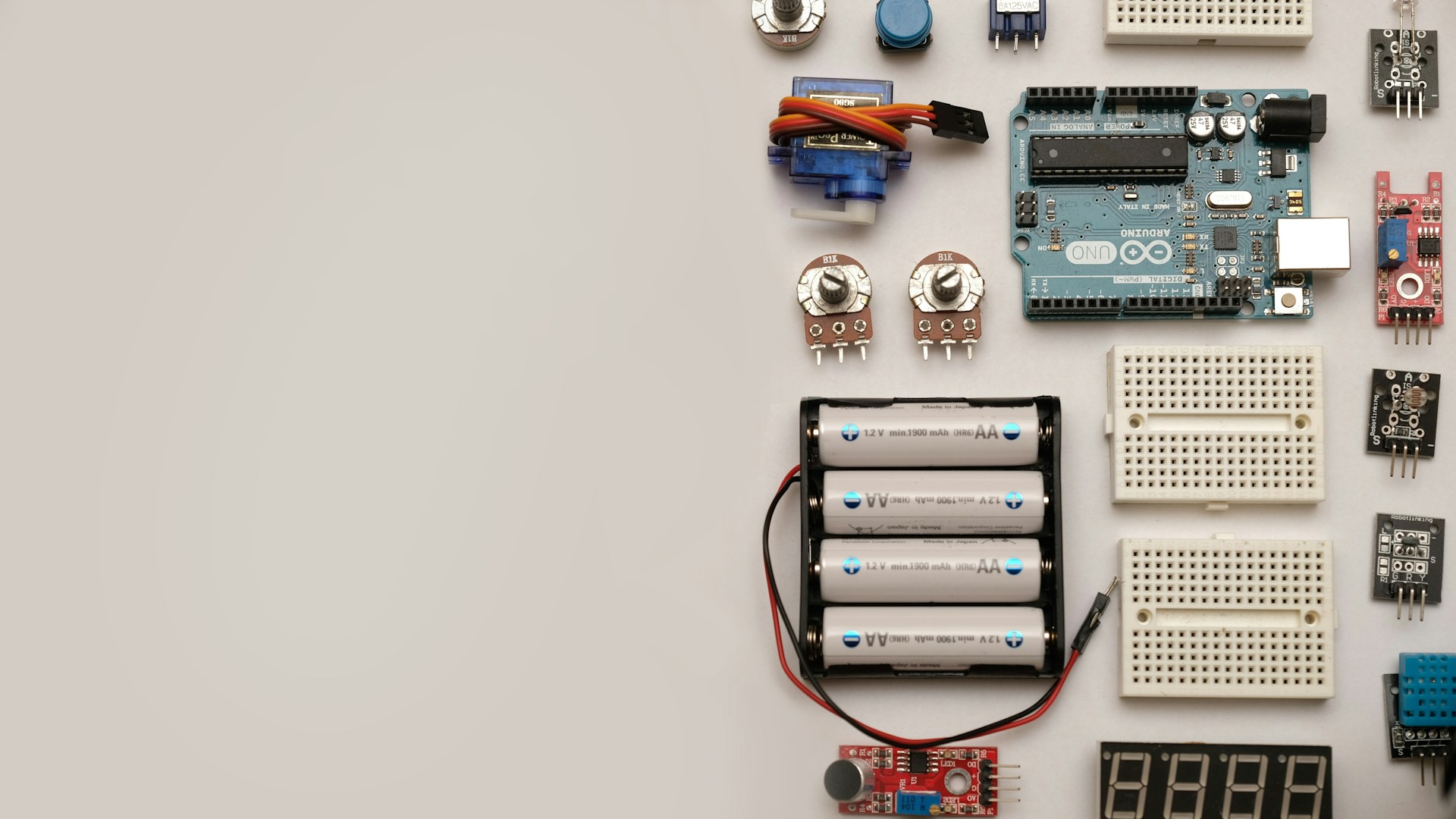
Table of Contents
Introduction
If you’re looking to dive into the world of DIY electronics, Arduino projects are your best bet. Whether you’re a newbie or have some experience under your belt, there are fantastic projects that can enhance your home and give you that satisfying maker’s high. After extensive research, I’ve rounded up the top Arduino projects that are not only fun to build but also practical for everyday life.
Bottom Line: Our Pick
For the best all-around Arduino project, the Smart Home Assistant stands out. It integrates multiple functions, such as voice control and environmental monitoring, making it a versatile addition to your home. With a basic investment of about $50-$100, depending on the components you choose, you can create a system that centralizes the control of various smart devices.
Best Arduino Projects for Home
Here are some of the best Arduino projects you can create for your home, ranging from simple automations to more complex systems.
1. Smart Home Assistant
Overview: A Smart Home Assistant is an Arduino-based system that allows you to control lights, fans, or even your coffee machine via voice commands or web applications.
- Components Needed:
- Arduino Uno ($25)
- Wi-Fi Module (ESP8266) ($5)
- Relay Module ($10)
- Multiple sensors (temperature, humidity, etc.) ($10 each)
Usage: This is perfect for tech enthusiasts who want to experiment with home automation.
2. Automatic Plant Watering System
Overview: If you’re a plant lover but often forget to water your greenery, this project is for you. It automatically waters your plants based on soil moisture levels.
- Components Needed:
- Arduino Nano ($20)
- Soil Moisture Sensor ($5)
- Water Pump ($10)
- Tubing and Water Container ($10)
Cost: Approximately $55
Usage: Ideal for hobbyists and busy individuals who want to keep their plants healthy without constant supervision.
3. Home Security Alarm System
Overview: A simple but effective home security system that alerts you when someone enters a monitored zone.
- Components Needed:
- Arduino Uno ($25)
- PIR Motion Sensor ($5)
- Buzzer ($2)
- GSM Module for texting alerts ($15)
Cost: Around $47
Usage: Perfect for homeowners who want peace of mind without the cost of expensive security systems.
4. Smart Mirror
Overview: A futuristic smart mirror that can display time, weather updates, and even your calendar while you get ready in the morning.
- Components Needed:
- Arduino Mega ($35)
- Two-way mirror ($30)
- Display Screen ($50)
- Frame and supplies for mounting ($20)
Total Cost: Roughly $135
Usage: Best for those who love gadgets and want to add a tech-savvy feature to their bathroom or dressing room.
Comparison Table of Top Arduino Projects
| Project | Estimated Cost | Skill Level | Components Required |
|---|---|---|---|
| Smart Home Assistant | $50-$100 | Intermediate | Arduino Uno, Wi-Fi Module, Relay Module |
| Automatic Plant Watering System | Approx. $55 | Beginner | Arduino Nano, Soil Moisture Sensor, Pump |
| Home Security Alarm System | Around $47 | Beginner | Arduino Uno, PIR Sensor, GSM Module |
| Smart Mirror | Roughly $135 | Advanced | Arduino Mega, Two-way Mirror, Display Screen |
How to Get Started
Step-by-Step for the Smart Home Assistant
-
Gather Components: Purchase your Arduino, Wi-Fi module, and relay. You can find these on sites like Amazon or specialized electronic supply stores such as Adafruit or SparkFun.
-
Coding: Download and install the Arduino IDE. Write a simple program using example sketches available online, modifying it to suit your home devices.
-
Assembly: Connect your components as per the wiring diagram you find in your project instructions.
-
Testing: Run tests to check that your smart assistant communicates effectively with your Wi-Fi and controls your devices.
Resources for Learning
- YouTube: Many creators upload tutorials and guide you through the building process.
- Arduino’s Official Website: Great resource for learning about specific components and features.
Who This Is For
- Tech Lovers: If you’re someone who enjoys tinkering and exploring technology, these projects will satisfy your curiosity.
- Homebodies: Transform your living space with automation and smart gadgets.
- DIY Enthusiasts: Ideal for crafters looking to combine technology with their hobbies.
Who Should Skip This
- Non-Tech Individuals: If you’re not comfortable with basic coding and electronics, these projects might be frustrating.
- Avoid Complicated Projects: If you lack time to invest in a more complex setup or troubleshooting, start with the easier projects.
Conclusion
When choosing which Arduino project to embark on, consider your interests and how much time you want to dedicate. The Smart Home Assistant is highly recommended for its versatility and potential to integrate other projects, making it worth the investment. Start small and scale up your projects as you gain more experience, and soon your home will be the ultimate maker’s paradise.
Now that you have a solid list and guidance, it’s time to grab your Arduino and get started on your home tech transformation!